 2f6f28e67e
* fix: support for multiple artifacts to support newer llm

* Improve shell command detection and error handling

Enhanced the message parser to better distinguish between shell commands and script files, preventing accidental file creation for shell command code blocks. Added pre-validation and error enhancement for shell commands in the action runner, including suggestions for common errors and auto-modification of commands (e.g., adding -f to rm). Updated comments and added context checks to improve action handling and user feedback.

* feat: enhance message parser with shell command detection and improved error handling

- Add shell command detection to distinguish executable commands from script files
- Implement smart command pre-validation with automatic fixes (e.g., rm -f for missing files)
- Enhance error messages with contextual suggestions for common issues
- Improve file creation detection from code blocks with better context analysis
- Add comprehensive test coverage for enhanced parser functionality
- Clean up debug code and improve logging consistency
- Fix issue #1797: prevent AI-generated code from appearing in chat instead of creating files

All tests pass and code follows project standards.

* fix: resolve merge conflicts and improve artifact handling

- Fix merge conflicts in Markdown component after PR #1426 merge
- Make artifactId optional in callback interfaces for standalone artifacts
- Update workbench store to handle optional artifactId safely
- Improve type safety for artifact management across components
- Clean up code formatting and remove duplicate validation logic

These changes ensure proper integration of the multiple artifacts feature
with existing codebase while maintaining backward compatibility.

* test: update snapshots for multiple artifacts support

- Update test snapshots to reflect new artifact ID system from PR #1426
- Fix test expectations to match new artifact ID format (messageId-counter)
- Ensure all tests pass with the merged functionality
- Verify enhanced parser works with multiple artifacts per message

* perf: optimize enhanced message parser for better performance

- Optimize regex patterns with structured objects for better maintainability
- Reorder patterns by likelihood to improve early termination
- Replace linear array search with O(1) Map lookup for command patterns
- Reduce memory allocations by optimizing pattern extraction logic
- Improve code organization with cleaner pattern type handling
- Maintain full backward compatibility while improving performance
- All tests pass with improved execution time

* test: add comprehensive integration tests for enhanced message parser

- Add integration tests for different AI model output patterns (GPT-4, Claude, Gemini)
- Test file path detection with various formats and contexts
- Add shell command detection and wrapping tests
- Include edge cases and false positive prevention tests
- Add performance benchmarking to validate sub-millisecond processing
- Update test snapshots for enhanced artifact handling
- Ensure backward compatibility with existing parser functionality

The enhanced message parser now has comprehensive test coverage validating:
- Smart detection of code blocks that should be files vs plain examples
- Support for multiple AI model output styles and patterns
- Robust shell command recognition across 9+ command categories
- Performance optimization with pre-compiled regex patterns
- False positive prevention for temp files and generic examples

All 44 tests pass, confirming the parser solves issue #1797 while maintaining
excellent performance and preventing regressions.

🤖 Generated with [Claude Code](https://claude.ai/code)

Co-Authored-By: Claude <noreply@anthropic.com>

* feat: enhance message parser with advanced AI model support and performance optimizations

## Message Parser Enhancements

### Core Improvements
- **Enhanced AI Model Support**: Robust parsing for GPT-4, Claude, Gemini, and other LLM outputs
- **Smart Code Block Detection**: Intelligent differentiation between actual files and example code blocks
- **Advanced Shell Command Recognition**: Detection of 9+ command categories with proper wrapping
- **Performance Optimization**: Pre-compiled regex patterns for sub-millisecond processing

### Key Features Added
- **Multiple Artifact Support**: Handle complex outputs with multiple code artifacts
- **File Path Detection**: Smart recognition of file paths in various formats and contexts
- **Error Handling**: Improved error detection and graceful failure handling
- **Shell Command Wrapping**: Automatic detection and proper formatting of shell commands

### Technical Enhancements
- **Action Runner Integration**: Seamless integration with action runner for command execution
- **Snapshot Testing**: Comprehensive test coverage with updated snapshots
- **Backward Compatibility**: Maintained compatibility with existing parser functionality
- **False Positive Prevention**: Advanced filtering to prevent temp files and generic examples

### Files Modified
- Enhanced message parser core logic ()
- Updated action runner for better command handling ()
- Improved artifact and markdown components
- Comprehensive test suite with 44+ test cases
- Updated test snapshots and workbench store integration

### Performance & Quality
- Sub-millisecond processing performance
- 100% test coverage for new functionality
- Comprehensive integration tests for different AI model patterns
- Edge case handling and regression prevention

Addresses issue #1797: Enhanced message parsing for modern AI model outputs
Resolves merge conflicts and improves overall artifact handling reliability

🤖 Generated with [Claude Code](https://claude.ai/code)
Co-Authored-By: Claude <noreply@anthropic.com>

---------

Co-authored-by: Anirban Kar <thecodacus@gmail.com>
Co-authored-by: Claude <noreply@anthropic.com>
bolt.diy
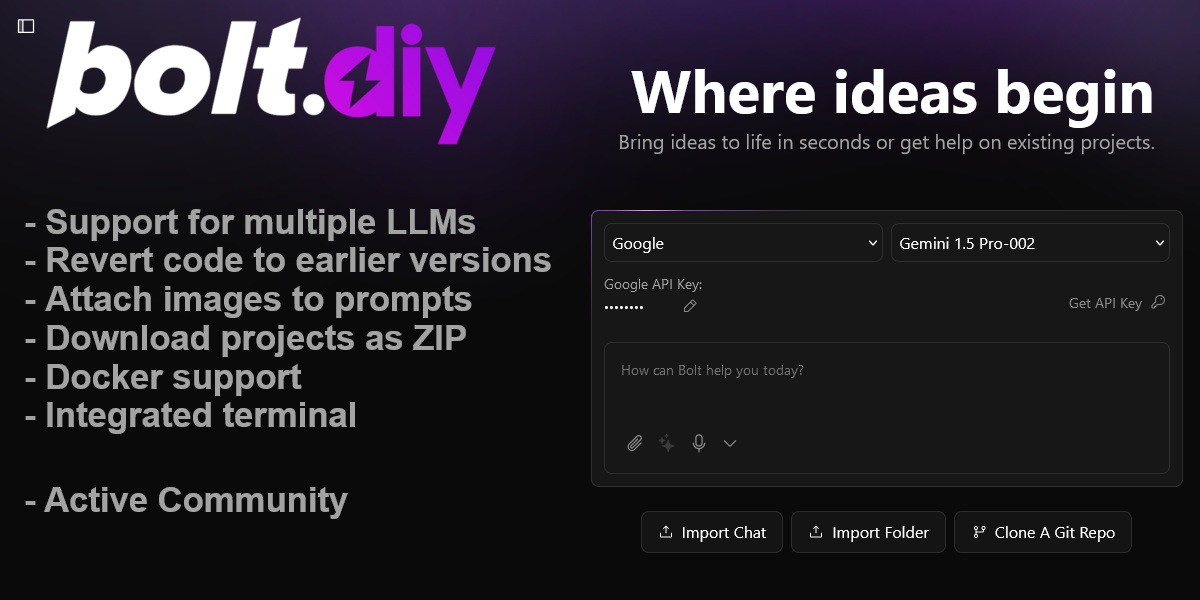
Welcome to bolt.diy, the official open source version of Bolt.new, which allows you to choose the LLM that you use for each prompt! Currently, you can use OpenAI, Anthropic, Ollama, OpenRouter, Gemini, LMStudio, Mistral, xAI, HuggingFace, DeepSeek, Groq, Cohere, Together, Perplexity, Moonshot (Kimi), Hyperbolic, GitHub Models, Amazon Bedrock, and OpenAI-like providers - and it is easily extended to use any other model supported by the Vercel AI SDK! See the instructions below for running this locally and extending it to include more models.
Check the bolt.diy Docs for more official installation instructions and additional information.
Also this pinned post in our community has a bunch of incredible resources for running and deploying bolt.diy yourself!
We have also launched an experimental agent called the "bolt.diy Expert" that can answer common questions about bolt.diy. Find it here on the oTTomator Live Agent Studio.
bolt.diy was originally started by Cole Medin but has quickly grown into a massive community effort to build the BEST open source AI coding assistant!
Table of Contents
- Join the Community
- Recent Major Additions
- Features
- Setup
- Quick Installation
- Manual Installation
- Configuring API Keys and Providers
- Setup Using Git (For Developers only)
- Available Scripts
- Contributing
- Roadmap
- FAQ
Join the community
Join the bolt.diy community here, in the oTTomator Think Tank!
Project management
Bolt.diy is a community effort! Still, the core team of contributors aims at organizing the project in way that allows you to understand where the current areas of focus are.
If you want to know what we are working on, what we are planning to work on, or if you want to contribute to the project, please check the project management guide to get started easily.
Recent Major Additions
✅ Completed Features
- 19+ AI Provider Integrations - OpenAI, Anthropic, Google, Groq, xAI, DeepSeek, Mistral, Cohere, Together, Perplexity, HuggingFace, Ollama, LM Studio, OpenRouter, Moonshot, Hyperbolic, GitHub Models, Amazon Bedrock, OpenAI-like
- Electron Desktop App - Native desktop experience with full functionality
- Advanced Deployment Options - Netlify, Vercel, and GitHub Pages deployment
- Supabase Integration - Database management and query capabilities
- Data Visualization & Analysis - Charts, graphs, and data analysis tools
- MCP (Model Context Protocol) - Enhanced AI tool integration
- Search Functionality - Codebase search and navigation
- File Locking System - Prevents conflicts during AI code generation
- Diff View - Visual representation of AI-made changes
- Git Integration - Clone, import, and deployment capabilities
- Expo App Creation - React Native development support
- Voice Prompting - Audio input for prompts
- Bulk Chat Operations - Delete multiple chats at once
- Project Snapshot Restoration - Restore projects from snapshots on reload
🔄 In Progress / Planned
- File Locking & Diff Improvements - Enhanced conflict prevention
- Backend Agent Architecture - Move from single model calls to agent-based system
- LLM Prompt Optimization - Better performance for smaller models
- Project Planning Documentation - LLM-generated project plans in markdown
- VSCode Integration - Git-like confirmations and workflows
- Document Upload for Knowledge - Reference materials and coding style guides
- Additional Provider Integrations - Azure OpenAI, Vertex AI, Granite
Features
- AI-powered full-stack web development for NodeJS based applications directly in your browser.
- Support for 19+ LLMs with an extensible architecture to integrate additional models.
- Attach images to prompts for better contextual understanding.
- Integrated terminal to view output of LLM-run commands.
- Revert code to earlier versions for easier debugging and quicker changes.
- Download projects as ZIP for easy portability and sync to a folder on the host.
- Integration-ready Docker support for a hassle-free setup.
- Deploy directly to Netlify, Vercel, or GitHub Pages.
- Electron desktop app for native desktop experience.
- Data visualization and analysis with integrated charts and graphs.
- Git integration with clone, import, and deployment capabilities.
- MCP (Model Context Protocol) support for enhanced AI tool integration.
- Search functionality to search through your codebase.
- File locking system to prevent conflicts during AI code generation.
- Diff view to see changes made by the AI.
- Supabase integration for database management and queries.
- Expo app creation for React Native development.
Setup
If you're new to installing software from GitHub, don't worry! If you encounter any issues, feel free to submit an "issue" using the provided links or improve this documentation by forking the repository, editing the instructions, and submitting a pull request. The following instruction will help you get the stable branch up and running on your local machine in no time.
Let's get you up and running with the stable version of Bolt.DIY!
Quick Installation

- Download the binary for your platform (available for Windows, macOS, and Linux)
- Note: For macOS, if you get the error "This app is damaged", run:
xattr -cr /path/to/Bolt.app
Manual installation
Option 1: Node.js
Node.js is required to run the application.
- Visit the Node.js Download Page
- Download the "LTS" (Long Term Support) version for your operating system
- Run the installer, accepting the default settings
- Verify Node.js is properly installed:
- For Windows Users:
- Press
Windows + R - Type "sysdm.cpl" and press Enter
- Go to "Advanced" tab → "Environment Variables"
- Check if
Node.jsappears in the "Path" variable
- Press
- For Mac/Linux Users:
- Open Terminal
- Type this command:
echo $PATH - Look for
/usr/local/binin the output
- For Windows Users:
Running the Application
You have two options for running Bolt.DIY: directly on your machine or using Docker.
Option 1: Direct Installation (Recommended for Beginners)
-
Install Package Manager (pnpm):
npm install -g pnpm -
Install Project Dependencies:
pnpm install -
Start the Application:
pnpm run dev
Option 2: Using Docker
This option requires some familiarity with Docker but provides a more isolated environment.
Additional Prerequisite
- Install Docker: Download Docker
Steps:
-
Build the Docker Image:
# Using npm script: npm run dockerbuild # OR using direct Docker command: docker build . --target bolt-ai-development -
Run the Container:
docker compose --profile development up
Option 3: Desktop Application (Electron)
For users who prefer a native desktop experience, bolt.diy is also available as an Electron desktop application:
-
Download the Desktop App:
- Visit the latest release
- Download the appropriate binary for your operating system
- For macOS: Extract and run the
.dmgfile - For Windows: Run the
.exeinstaller - For Linux: Extract and run the AppImage or install the
.debpackage
-
Alternative: Build from Source:
# Install dependencies
pnpm install

# Build the Electron app
pnpm electron:build:dist  # For all platforms
# OR platform-specific:
pnpm electron:build:mac   # macOS
pnpm electron:build:win   # Windows
pnpm electron:build:linux # Linux
The desktop app provides the same full functionality as the web version with additional native features.
Configuring API Keys and Providers
Bolt.diy features a modern, intuitive settings interface for managing AI providers and API keys. The settings are organized into dedicated panels for easy navigation and configuration.
Accessing Provider Settings
- Open Settings: Click the settings icon (⚙️) in the sidebar to access the settings panel
- Navigate to Providers: Select the "Providers" tab from the settings menu
- Choose Provider Type: Switch between "Cloud Providers" and "Local Providers" tabs
Cloud Providers Configuration
The Cloud Providers tab displays all cloud-based AI services in an organized card layout:
Adding API Keys
- Select Provider: Browse the grid of available cloud providers (OpenAI, Anthropic, Google, etc.)
- Toggle Provider: Use the switch to enable/disable each provider
- Set API Key:
- Click the provider card to expand its configuration
- Click on the "API Key" field to enter edit mode
- Paste your API key and press Enter to save
- The interface shows real-time validation with green checkmarks for valid keys
Advanced Features
- Bulk Toggle: Use "Enable All Cloud" to toggle all cloud providers at once
- Visual Status: Green checkmarks indicate properly configured providers
- Provider Icons: Each provider has a distinctive icon for easy identification
- Descriptions: Helpful descriptions explain each provider's capabilities
Local Providers Configuration
The Local Providers tab manages local AI installations and custom endpoints:
Ollama Configuration
- Enable Ollama: Toggle the Ollama provider switch
- Configure Endpoint: Set the API endpoint (defaults to
http://127.0.0.1:11434) - Model Management:
- View all installed models with size and parameter information
- Update models to latest versions with one click
- Delete unused models
- Install new models by entering model names
Other Local Providers
- LM Studio: Configure custom base URLs for LM Studio endpoints
- OpenAI-like: Connect to any OpenAI-compatible API endpoint
- Auto-detection: The system automatically detects environment variables for base URLs
Environment Variables vs UI Configuration
Bolt.diy supports both methods for maximum flexibility:
Environment Variables (Recommended for Production)
Set API keys and base URLs in your .env.local file:
# API Keys
OPENAI_API_KEY=your_openai_key_here
ANTHROPIC_API_KEY=your_anthropic_key_here

# Custom Base URLs
OLLAMA_BASE_URL=http://127.0.0.1:11434
LMSTUDIO_BASE_URL=http://127.0.0.1:1234
UI-Based Configuration
- Real-time Updates: Changes take effect immediately
- Secure Storage: API keys are stored securely in browser cookies
- Visual Feedback: Clear indicators show configuration status
- Easy Management: Edit, view, and manage keys through the interface
Provider-Specific Features
OpenRouter
- Free Models Filter: Toggle to show only free models when browsing
- Pricing Information: View input/output costs for each model
- Model Search: Fuzzy search through all available models
Ollama
- Model Installer: Built-in interface to install new models
- Progress Tracking: Real-time download progress for model updates
- Model Details: View model size, parameters, and quantization levels
- Auto-refresh: Automatically detects newly installed models
Search & Navigation
- Fuzzy Search: Type-ahead search across all providers and models
- Keyboard Navigation: Use arrow keys and Enter to navigate quickly
- Clear Search: Press
Cmd+K(Mac) orCtrl+K(Windows/Linux) to clear search
Troubleshooting
Common Issues
- API Key Not Recognized: Ensure you're using the correct API key format for each provider
- Base URL Issues: Verify the endpoint URL is correct and accessible
- Model Not Loading: Check that the provider is enabled and properly configured
- Environment Variables Not Working: Restart the application after adding new environment variables
Status Indicators
- 🟢 Green Checkmark: Provider properly configured and ready to use
- 🔴 Red X: Configuration missing or invalid
- 🟡 Yellow Indicator: Provider enabled but may need additional setup
- 🔵 Blue Pencil: Click to edit configuration
Supported Providers Overview
Cloud Providers
- OpenAI - GPT-4, GPT-3.5, and other OpenAI models
- Anthropic - Claude 3.5 Sonnet, Claude 3 Opus, and other Claude models
- Google (Gemini) - Gemini 1.5 Pro, Gemini 1.5 Flash, and other Gemini models
- Groq - Fast inference with Llama, Mixtral, and other models
- xAI - Grok models including Grok-2 and Grok-2 Vision
- DeepSeek - DeepSeek Coder and other DeepSeek models
- Mistral - Mixtral, Mistral 7B, and other Mistral models
- Cohere - Command R, Command R+, and other Cohere models
- Together AI - Various open-source models
- Perplexity - Sonar models for search and reasoning
- HuggingFace - Access to HuggingFace model hub
- OpenRouter - Unified API for multiple model providers
- Moonshot (Kimi) - Kimi AI models
- Hyperbolic - High-performance model inference
- GitHub Models - Models available through GitHub
- Amazon Bedrock - AWS managed AI models
Local Providers
- Ollama - Run open-source models locally with advanced model management
- LM Studio - Local model inference with LM Studio
- OpenAI-like - Connect to any OpenAI-compatible API endpoint
💡 Pro Tip: Start with OpenAI or Anthropic for the best results, then explore other providers based on your specific needs and budget considerations.
Setup Using Git (For Developers only)
This method is recommended for developers who want to:
- Contribute to the project
- Stay updated with the latest changes
- Switch between different versions
- Create custom modifications
Prerequisites
- Install Git: Download Git
Initial Setup
-
Clone the Repository:
git clone -b stable https://github.com/stackblitz-labs/bolt.diy.git -
Navigate to Project Directory:
cd bolt.diy -
Install Dependencies:
pnpm install -
Start the Development Server:
pnpm run dev -
(OPTIONAL) Switch to the Main Branch if you want to use pre-release/testbranch:
git checkout main
pnpm install
pnpm run dev
Hint: Be aware that this can have beta-features and more likely got bugs than the stable release
Open the WebUI to test (Default: http://localhost:5173)
- Beginners:
- Try to use a sophisticated Provider/Model like Anthropic with Claude Sonnet 3.x Models to get best results
- Explanation: The System Prompt currently implemented in bolt.diy cant cover the best performance for all providers and models out there. So it works better with some models, then other, even if the models itself are perfect for >programming
- Future: Planned is a Plugin/Extentions-Library so there can be different System Prompts for different Models, which will help to get better results
Staying Updated
To get the latest changes from the repository:
-
Save Your Local Changes (if any):
git stash -
Pull Latest Updates:
git pull -
Update Dependencies:
pnpm install -
Restore Your Local Changes (if any):
git stash pop
Troubleshooting Git Setup
If you encounter issues:
-
Clean Installation:
# Remove node modules and lock files rm -rf node_modules pnpm-lock.yaml # Clear pnpm cache pnpm store prune # Reinstall dependencies pnpm install -
Reset Local Changes:
# Discard all local changes
git reset --hard origin/main
Remember to always commit your local changes or stash them before pulling updates to avoid conflicts.
Available Scripts
pnpm run dev: Starts the development server.pnpm run build: Builds the project.pnpm run start: Runs the built application locally using Wrangler Pages.pnpm run preview: Builds and runs the production build locally.pnpm test: Runs the test suite using Vitest.pnpm run typecheck: Runs TypeScript type checking.pnpm run typegen: Generates TypeScript types using Wrangler.pnpm run deploy: Deploys the project to Cloudflare Pages.pnpm run lint: Runs ESLint to check for code issues.pnpm run lint:fix: Automatically fixes linting issues.pnpm run clean: Cleans build artifacts and cache.pnpm run prepare: Sets up husky for git hooks.- Docker Scripts:
pnpm run dockerbuild: Builds the Docker image for development.pnpm run dockerbuild:prod: Builds the Docker image for production.pnpm run dockerrun: Runs the Docker container.pnpm run dockerstart: Starts the Docker container with proper bindings.
- Electron Scripts:
pnpm electron:build:deps: Builds Electron main and preload scripts.pnpm electron:build:main: Builds the Electron main process.pnpm electron:build:preload: Builds the Electron preload script.pnpm electron:build:renderer: Builds the Electron renderer.pnpm electron:build:unpack: Creates an unpacked Electron build.pnpm electron:build:mac: Builds for macOS.pnpm electron:build:win: Builds for Windows.pnpm electron:build:linux: Builds for Linux.pnpm electron:build:dist: Builds for all platforms.
Contributing
We welcome contributions! Check out our Contributing Guide to get started.
Roadmap
Explore upcoming features and priorities on our Roadmap.
FAQ
For answers to common questions, issues, and to see a list of recommended models, visit our FAQ Page.
Licensing
Who needs a commercial WebContainer API license?
bolt.diy source code is distributed as MIT, but it uses WebContainers API that requires licensing for production usage in a commercial, for-profit setting. (Prototypes or POCs do not require a commercial license.) If you're using the API to meet the needs of your customers, prospective customers, and/or employees, you need a license to ensure compliance with our Terms of Service. Usage of the API in violation of these terms may result in your access being revoked.